

External merge queue integration requires a Graphite Team or Enterprise plan.
GitHub merge queue
Enable the GitHub merge queue integration
Go to the Merge queue settings page:1
Click Add merge queue
2
Select the repository you want to enable it for by using the dropdown selector
3
Select External merge queue integration as the merge queue type
4
Click Next
5
Select Enable adding to GitHub merge queue and save your merge queue settings
Enqueue PRs in Graphite for the GitHub merge queue
To merge, click the Merge when ready toggle in the top right of the PR page. When a PR is the first open PR in the stack and has Merge when ready active, Graphite will then add the PR to your GitHub merge queue. Upstack PRs can haveMerge when ready toggled so they will automatically merge once the downstack PRs have merged.
Other merge queues
If you use a merge queue outside of the Graphite’s or GitHub’s merge queues, then Graphite still can be configured to add PRs to your queue by applying a custom label per PR.If your merge queue enqueues PRs for merging using another method, such as running CLI commands or calling an API, then Graphite won’t be able to integrate with it at this time.
Prerequisites
- Ensure that a PR can be enqueued via label
- (Recommended) Prevent the merge queue from merging into branches named
graphite-base/*. See Automatic rebasing for more information.
Enable the external merge queue integration
Go to the Merge queue settings page:1
Click Add merge queue
2
Select the repository you want to enable it for by using the dropdown selector
3
Select External merge queue integration as the merge queue type
4
Click Next to specify your merge label and save your merge queue settings
Enqueue PRs in Graphite for the external merge queue
Once you’ve completed the configuration steps above, PRs created in that repo can now be merged via your merge queue.-
For single PRs, and base PRs in a stack: the merge button is replaced with an
Apply merge labelbutton that immediately applies the merge label -
For upstack PRs: the merge button is replaced with an
Apply merge label when readybutton that acts as follows: for a stack of PRsA←B←C, whereAis the base PR:-
Aimmediately receives your repo’s merge label, handing off merging to your merge queue -
When
Ais successfully merged, Graphite rebasesB, and upon succeeding applies your repo’s merge label. If the rebase fails, Graphite informs the author as usual. -
It repeats the process for
B, and so forth for larger stacks.
-
(Optional) Updating your PR inbox
Enqueued PRs
To track enqueued PRs in your PR inbox, you can create a section with the following settings: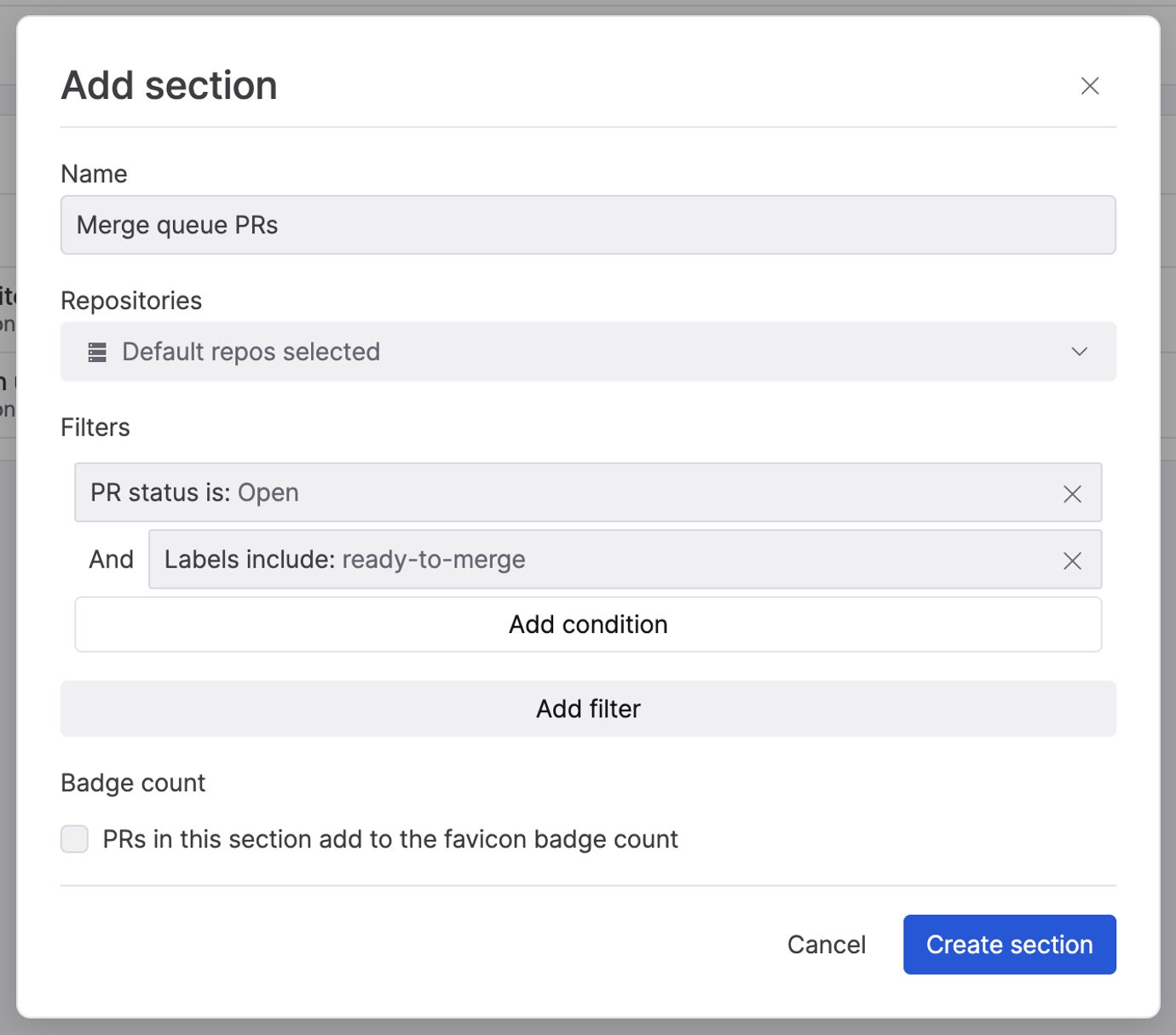
Blocked PRs
Many merge queues represent merge failures by adding a label denoting that the PR is blocked. You can create a section to track these with the following settings: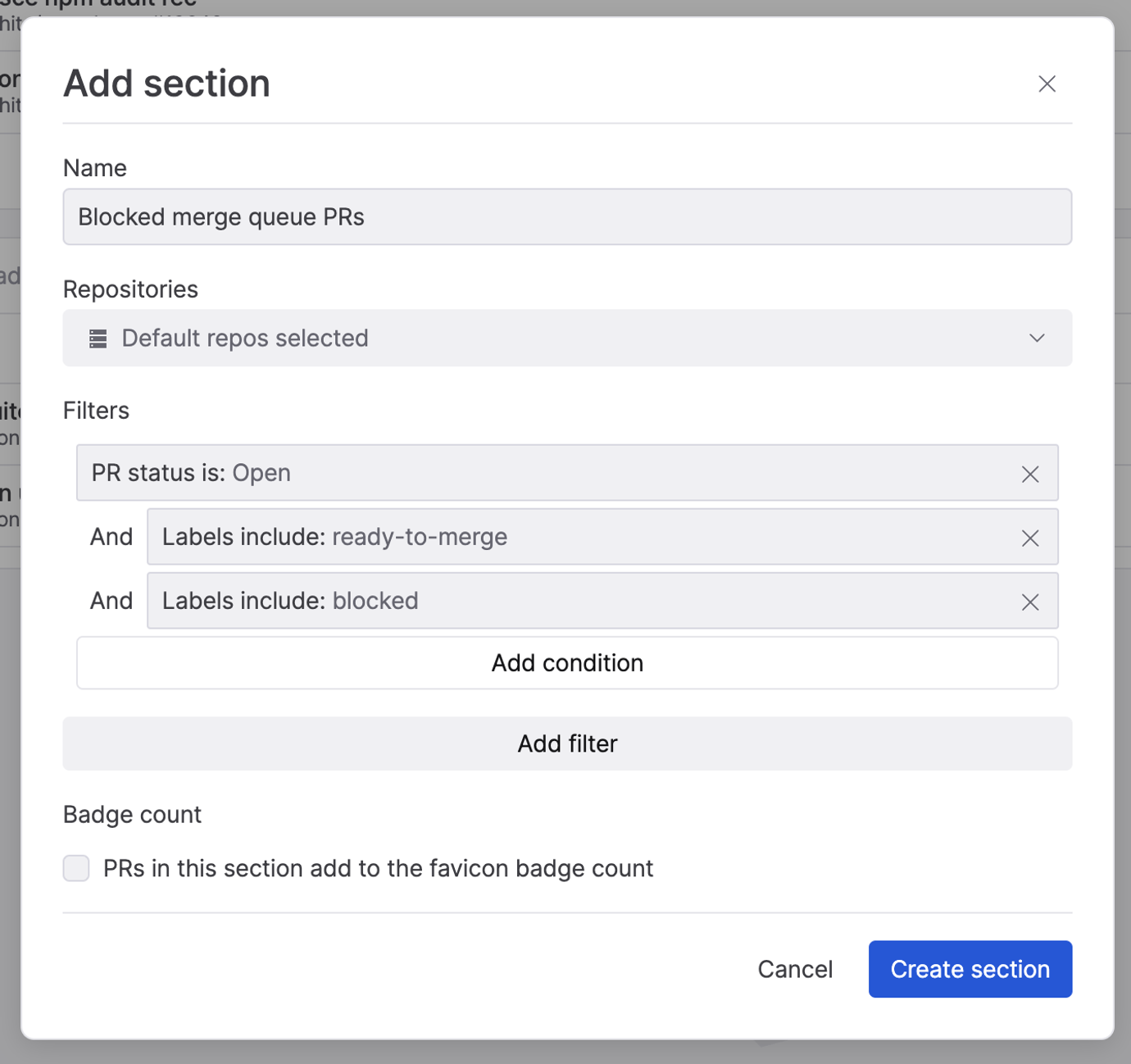
Troubleshooting
- PRs getting evicted while enqueued: once you mark a stack as ready to merge, re-stacking those PRs when they’re already in your merge queue may result in your merge queue evicting them due to making changes. You may want to avoid re-stacking a PR while your merge queue is processing it.
- Handling failed merges: your merge queue may take actions like adding a “blocked” label on PRs that failed to merge. To re-enqueue after fixing the issues, manually remove the custom label.