
Table of contents
- What are release notes?
- Why are release notes important?
- Setting up PR labels and metadata
- Automating release note generation
- Advantages of using Graphite Automations
- FAQ
Manually creating release notes from pull requests (PRs) can be tedious and error-prone, especially in fast-paced development environments. Automating this process ensures consistent, accurate release documentation while saving time. By leveraging tools like GitHub and Graphite Automations, teams can generate release notes directly from PR metadata.
What are release notes?
Release notes are documents that accompany software updates, detailing the changes made in a particular version. These notes help users and stakeholders understand what’s new, improved, fixed, or removed. Release notes serve as a communication tool to inform users about the software's evolution and guide them in using the updated version effectively.
Key components of release notes
- Version number: Identifies the specific release, often following semantic versioning (e.g.,
1.2.3). - Release date: The date the version is made available.
- Summary: A brief overview of the release's purpose, such as new features or bug fixes.
- Categories of changes:
- Features: New functionality added to the software.
- Improvements: Enhancements to existing features.
- Bug fixes: Resolved issues or errors in the software.
- Deprecations: Features that are being phased out.
- Removals: Features or components that are no longer available.
- Known issues: Any problems that remain unresolved in the release.
- Instructions: Guidance for installing or upgrading to the new version.
Why are release notes important?
- Transparency: They keep users informed about what has changed and why.
- Usability: Highlighting new features and improvements helps users leverage the software effectively.
- Accountability: Bug fixes and issue resolutions show the development team's responsiveness to feedback.
- Documentation: Release notes act as a historical record of software changes.
Ultimately, release notes help ensure that all stakeholders, from developers to end-users, are aligned on the software's current state and capabilities. Let's explore how to automatically generate them from PRs.
Ready to automate your release notes? Try Graphite Automations and streamline your PR labeling and release documentation workflow today.
Setting up PR labels and metadata
Why structure matters
Structured labels and metadata in PRs are essential for generating meaningful release notes. For example, adding labels like feature, bugfix, and documentation helps categorize changes. Similarly, ensuring PR titles follow a consistent format improves readability in the final release notes.
Adding labels and metadata with Graphite automations
Graphite simplifies the labeling process by allowing you to automate label assignment based on PR triggers. For example:
- Trigger condition: PR contains files in
src/frontend/. - Action: Assign the label
frontend.
To set this up in Graphite:
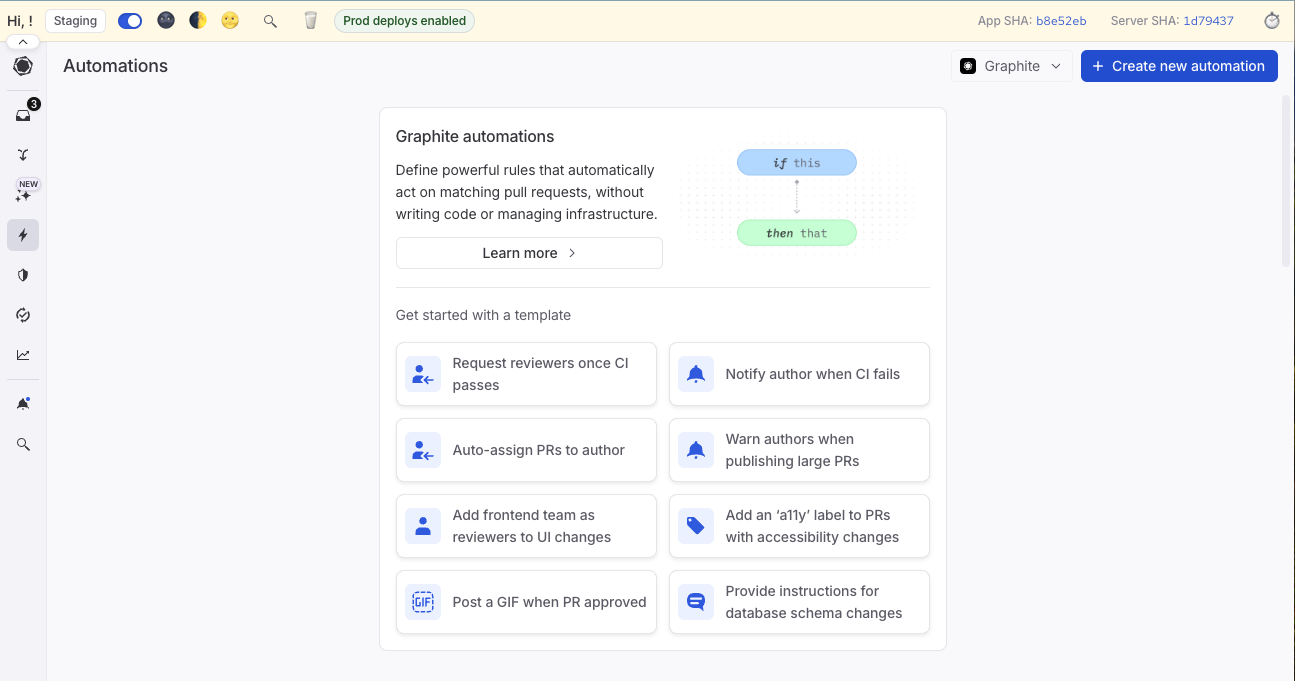
- Navigate to the Automations section in the Graphite web app.
- Click Create rule.
- Configure a filter trigger (e.g., files matching
**/frontend/**). - Set the action to Add label (e.g.,
frontend). - Activate the rule to apply it automatically to new PRs.
Automating release note generation
Using GitHub's releases and changelog tools
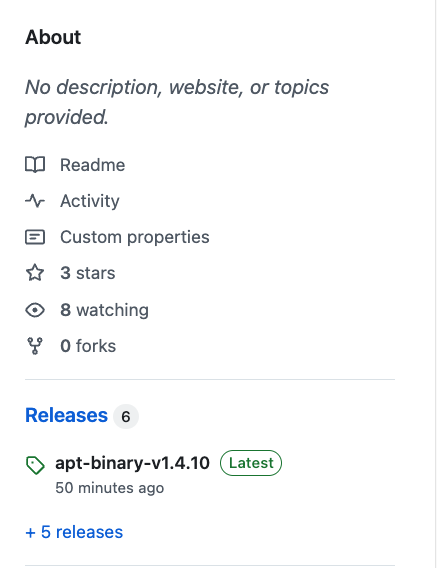
GitHub provides a basic mechanism to generate release notes. When drafting a release, GitHub can pull PR titles and labels to create a changelog.
Navigate to the releases page: Go to the repository and click Releases.
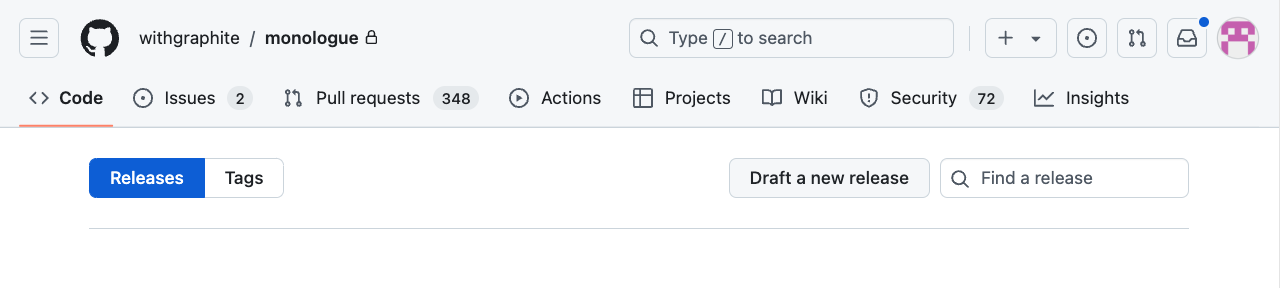
Draft a new release: Click Draft a new release and select the target branch.
- Automated changelog: Enable "Generate release notes" to auto-populate the changelog with merged PRs.
Advantages of using Graphite Automations
Graphite's automation capabilities enhance release notes generation by:
- Automatically applying consistent labeling and categorization rules.
- Reducing manual effort and ensuring accuracy.
- Providing integration options for advanced workflows.
By incorporating Graphite Automations, teams can streamline their release process and focus on delivering high-quality software.
FAQ
Can release notes be automatically generated from pull requests?
Yes, release notes can be automatically generated from pull requests using several approaches. GitHub provides a built-in "Generate release notes" feature that pulls PR titles and labels to create changelogs. While Graphite Automations can’t publish releases themselves, they automate the PR metadata that powers release notes. By auto-applying consistent labels and enforcing clean PR titles, GitHub’s “Generate release notes” and other changelog tools can produce organized sections (Features, Fixes, Docs) with minimal manual work.
What information should be included in automated release notes?
Effective automated release notes should include: version number and release date, a summary of the release's purpose, categorized changes (features, improvements, bug fixes, deprecations, removals), PR titles or descriptions that clearly explain each change, contributor credits when appropriate, and any known issues or breaking changes. For best results, establish PR title conventions (like using prefixes such as "feat:", "fix:", "docs:") and apply consistent labels to PRs. This structure allows automation tools to properly organize information into readable, professional release notes that help users understand what changed and why.
How do I ensure consistent formatting in automated release notes?
Consistency in automated release notes comes from standardizing your PR workflow. Start by creating PR templates that enforce consistent title formats and require specific labels. Use Graphite Automations to automatically apply labels based on file changes, ensuring every PR is properly categorized. Establish team conventions for commit messages and PR descriptions, such as following Conventional Commits format (feat, fix, docs, etc.). Configure your release note generation tool to organize content by category and maintain a consistent structure across all releases. Regular audits of generated release notes help identify areas where your automation rules need refinement.
Do I still need to manually review automated release notes?
Yes, manual review of automated release notes is recommended, especially for customer-facing releases. While automation saves significant time by gathering and organizing PR information, human review ensures clarity, removes internal jargon, highlights critical changes, and adds context that might not be obvious from PR titles alone. Reviewers can also rewrite technical descriptions in user-friendly language, ensure sensitive information isn't exposed, and verify that breaking changes are properly communicated. Consider automation as a first draft that handles the tedious collection work, allowing you to focus on refining messaging and ensuring release notes meet your audience's needs.
What's the best way to categorize pull requests for release notes?
The most effective approach combines multiple labeling strategies. Use semantic labels like "feature", "bugfix", "enhancement", "documentation", and "breaking-change" to indicate the type of change. Add area labels like "frontend", "backend", "api", or "infrastructure" to show which parts of the system were affected. Set up Graphite Automations to automatically apply these labels based on file paths or PR content. For example, PRs touching src/api/ automatically get the "api" label. You can also use PR templates with checkboxes to let developers self-categorize their changes. Combining automatic and manual labeling ensures comprehensive, accurate categorization that produces well-organized release notes.
How often should I publish release notes?
Release note frequency depends on your release cadence and audience needs. For SaaS products with continuous deployment, weekly or bi-weekly release notes help keep users informed without overwhelming them. Products with scheduled releases (monthly, quarterly) should publish release notes with each version. High-velocity teams might generate internal release notes for every sprint while publishing customer-facing notes less frequently. Use automated release note generation to make frequent documentation feasible—tools like GitHub's automatic changelog and Graphite Automations reduce the effort required, making it practical to maintain regular release communication regardless of your deployment frequency.
Conclusion
Automating release note generation from pull requests transforms a time-consuming manual process into an efficient, consistent workflow. By leveraging GitHub's built-in tools and Graphite Automations, teams can ensure every release is properly documented without sacrificing development velocity. The key to success lies in establishing consistent PR metadata practices, automating label assignment, and maintaining light manual oversight to ensure quality and clarity.
Get started with Graphite and automate your entire PR workflow, from labeling to release documentation.